Review: Surface Pro 3
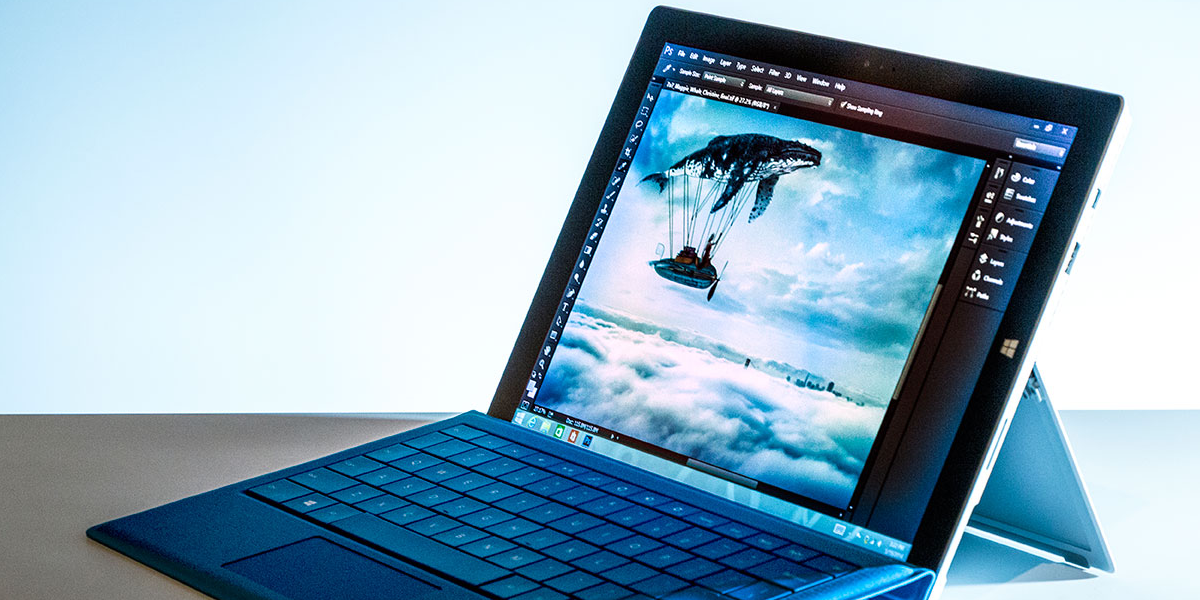
A Great Device. Just Not For Me.
Pros
- Extremely portable
- Brilliant screen
- Powerful
- Real innovation
Cons
- “Laptop” replacement claim
- Limited uses for Surface Pen
- Expensive configuration options
What Microsoft Claims
Microsoft makes it clear in its marketing onslaught that this is meant to be a device that can replace your laptop. With configurations up to a Core i7 Processor, 8GB RAM and a 512GB SSD it is no slouch. The model that I tested came equipped with a Core i5/4GB RAM/128GB SSD and it was just as speedy (if not more so) than any other laptop I’ve tested with similar specifications. Boot times were under 15 seconds and wake from sleep was almost instantaneous. Performance was great running 20+ tabs in Chrome and using Excel and Photoshop. The 4GB RAM was slightly limiting in some cases but the Processor was very rarely taxed more than 50%. The device is incredibly well built and encased in Magnesium. It weighs 1.76 pounds on its own and is slightly thinner than a 3rd Generation iPad. The amazingly thin (and great) Type Cover adds a hair more than a half pound in weight and less than 5 mm in thickness. The 10-point multitouch display is 12 inches across and outputs at 2160 x 1440 pixels. Needless to say, from a specs and performance standpoint, Microsoft has crafted a winner.
Why It Doesn’t Work For Me
Sounds like I really like the Surface Pro 3, doesn’t it? Well, it’s because I do! A lot! In fact, there is only one reason that I just can’t justify using this as a laptop replacement and the reason is because using this on my lap is a terrible experience. I use my desktop PC a lot. When I use my laptop, it is because I’m not at my desk. That also means that I rarely have a desk or table readily available. This is where the real trouble comes in. With the awkwardly small kickstand (barely wide enough for my lap in a relaxed position) and the sharper edges of that stand, along with the angle limitations that come with a stand whose axis is in the middle of the back, this device just doesn’t sit well with me.
Other Things to Consider
Like I said, I like the SP3 a lot! While I listed the major pros to this device above, I can’t list all the things I like there because it would look like crap. Even with the other two cons listed that I haven’t discussed, I would recommend that you buy this machine…if you don’t like using a laptop on your lap. If you do then you should seriously consider the difficulties of doing such. If you’ve read this far though, then I’m going to assume you’re still considering buying a Surface Pro 3. If you do, you’ll definitely want the Type Cover because typing on a touchscreen is something you won’t want to do much, if at all. The Type Cover is another strong selling point for the SP3 though. It creates a remarkably good typing experience for such a thin keyboard. The travel is pretty limited but the click is satisfying and I was able to type at near normal speeds. The trackpad also tracks and clicks quite well, though it is very small. Front facing stereo speakers are also a pleasant addition to this device and while they don’t get very loud, they sound pretty clear, even at high volume. Battery life of around 5 hours or more, Windows 8.1 Pro as standard and the selection of ports are also welcome additions. There is a lot to love about this device.
Recommendation
Buy it
If you have the budget for a premium device and you rarely or never use your laptop on your lap.
Don’t buy it
If you use your laptop on your lap more often than not or if you don’t appreciate quality design and innovation.